
THRESHOLD Roblox Episode 1 Walkthrough - Full Story Guide (All Scenes)
Every Episode 1 story objective in order - Blox Street 12, paper fragments, the van escape, the supermarket twist and the DESPAIR ending - verified frame by frame.
FAQ
Is Episode 1 the same thing as Chapter 1 in THRESHOLD?
How long does Episode 1 take to beat?
What is the 'Completed Episode 1 [DESPAIR]' badge?
Do you need a microphone to play the Episode 1 story?
What Happens in Episode 1 of THRESHOLD?
Episode 1 is a night-time survival story: you wake up to a video call from your friend Danny, walk to Blox Street 12 to check a noise, stumble onto the Entity, collect three paper fragments for clues, escape in your van, stop at a supermarket where a voice pretending to be Danny misleads you, survive a timed street defense, and end up underground — where the episode closes on a red DESPAIR title card. The objectives below are quoted verbatim from the game.
| # | Objective (on-screen text) | Approx. timestamp* |
|---|---|---|
| 1 | Intro — video call from Danny, “There’s one nearby Blox Street 12” | 0:08 |
| 2 | INVESTIGATE BLOX STREET 12 | 0:55 |
| 3 | INVESTIGATE THE NOISE | 1:45 |
| 4 | INVESTIGATE THE ENTITY’S BEDROOM FOR CLUES | 2:35 |
| 5 | SEARCH THE REST OF THE ROOMS (x/3 FRAGMENTS OF PAPER) | 3:00 |
| 6 | GET BACK IN YOUR VAN | 3:25 |
| 7 | Van escape — the Entity appears at the van, then the drive with turn prompts (“Turn right onto Pine Rd”) | 4:15–6:00 |
| 8 | RESTORE YOURSELF — Go to the store | 6:20 |
| 9 | RESTORE YOUR SANITY (inside the supermarket) | 6:45 |
| 10 | LISTEN TO DANNY — “Go where he says. He is in here with you.” | 7:35 |
| 11 | GET OUT — Danny texts “that wasn’t me bro” | 8:25 |
| 12 | SANITY LOW warning | 9:30 |
| 13 | DEFEND YOURSELF — countdown timer (~70 seconds) | 10:00 |
| 14 | Find where the Entity went — climb down the hatch | 11:30 |
| 15 | Underground tunnels — sanity drops (“COMING APART 15%”) | 12:10 |
| 16 | Capture cutscene — “I should give up” | 12:35 |
| 17 | DESPAIR title card → Chase Mode starts | ~13:30 |
*Timestamps refer to TheKacperosEN’s full-story-and-chase run (29:10, published September 26, 2026), which we checked frame by frame. Your own pacing will differ.
How Do You Start Episode 1?
You start in your bedroom at 1:47 a.m. — the phone lockscreen in the opening shot reads “Tuesday, 9 September” — and pick up a video call from Danny. He tells you there’s a place “nearby Blox Street 12” and the first objective appears: INVESTIGATE BLOX STREET 12. Follow the glowing arrows on the ground; they mark the walking path for every destination in the story.
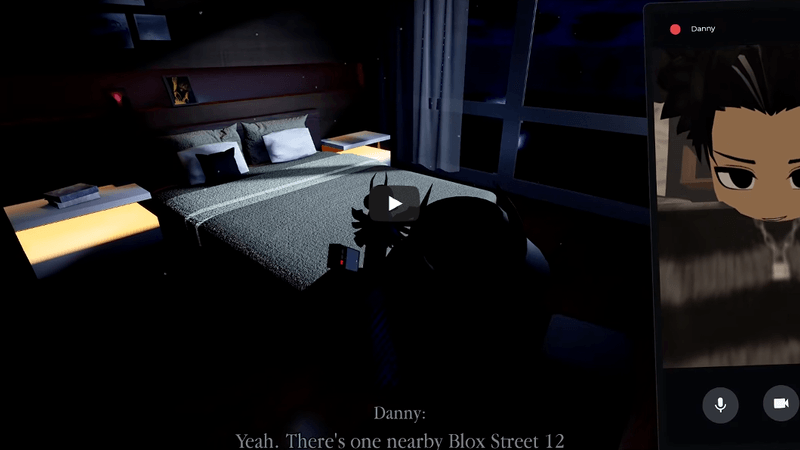
Frame from TheKacperosEN’s full walkthrough (YouTube, ~0:08).
Danny is your guide for most of the episode — he phones you, texts you, and (you later learn) sometimes doesn’t. Keep his messages in mind; the plot turns on one of them.
What Do You Find on Blox Street 12?
The walk down Blox Street 12 is short and quiet, and it ends at a second objective: INVESTIGATE THE NOISE. Around the 2:10 mark of the reference run you see the source — a tall, pale-faced figure (the Entity) standing over a body on the street. This is your first look at the thing hunting you, and the moment the story pivots from “check on a noise” to “get out alive”.
Frame from TheKacperosEN’s full walkthrough (YouTube, ~0:55).
The next objective, INVESTIGATE THE ENTITY’S BEDROOM FOR CLUES, sends you inside a house. Searching its rooms leads to the collecting task: SEARCH THE REST OF THE ROOMS (x/3 FRAGMENTS OF PAPER). Paper fragments glow softly on the floor and furniture, so sweep each room with your flashlight before moving on — the counter in the objective tells you how many of the three you still need.
How Does the Van Escape Work?
After the fragments, the objective flips to GET BACK IN YOUR VAN — the game tells you to hold the prompt on the van door. This stretch includes the episode’s biggest scare beats: the Entity appears right at the van during the escape, and later the drive itself turns into a guided sequence with turn prompts (one on-screen navigation read “0.4 mi — Turn right onto Pine Rd”) while a giant white face looms at the windshield. Danny rides along and sums it up in a subtitle: “THAT WAS WHAT YOU WERE DEALING WITH?”
Why Does the Game Send You to the Supermarket?
The drive ends with a new objective: RESTORE YOURSELF — Go to the store. Inside the supermarket it becomes RESTORE YOUR SANITY, which is the game telling you your sanity meter took a hit and this stop is how you claw it back. The store is the episode’s most well-lit set — FOOD and DRINKS aisles, a MISSING poster on an end cap — and the calm never lasts.
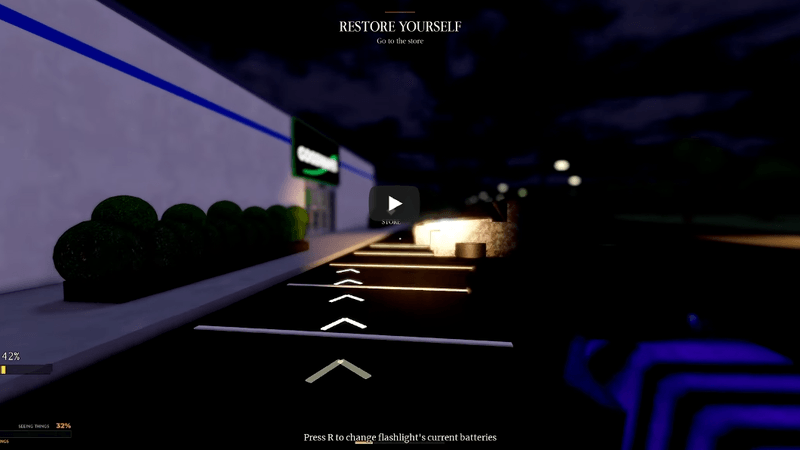
Frame from TheKacperosEN’s full walkthrough (YouTube, ~6:45). Note the “Press R to change flashlight’s current batteries” prompt and the “HEARING THINGS 32%” sanity readout.
Mid-shop, the objective changes to LISTEN TO DANNY — “Go where he says. He is in here with you.” A voice directs you around the aisles (the reference run’s captions include “Go to the drink section”). Then the twist lands: the objective becomes GET OUT, and the real Danny texts you — “that wasn’t me bro”, followed by “I’m watching the cctvs right now, listen to me.” The voice in the store was never Danny. Follow the real Danny’s texts, not the voice, and get out of the building.
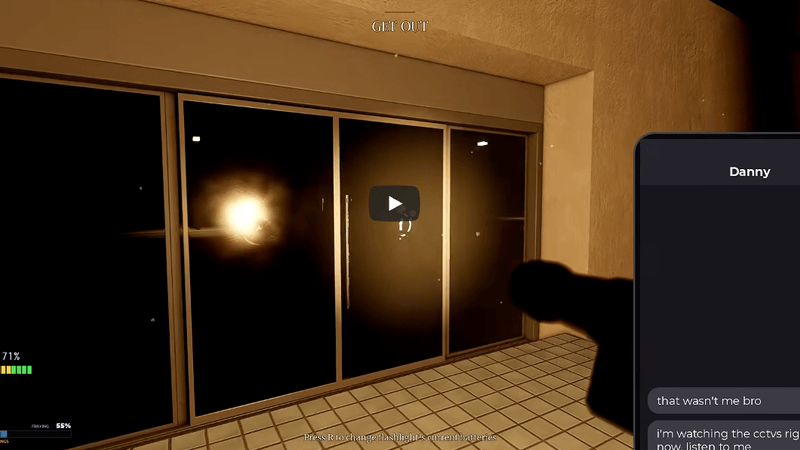
Frame from TheKacperosEN’s full walkthrough (YouTube, ~7:35).
How Do You Survive the DEFEND YOURSELF Sequence?
Immediately after the supermarket escape your sanity bottoms out — a SANITY LOW warning fills the screen — and the story drops you into DEFEND YOURSELF, a timed stand your ground. The countdown we observed ran from 1:08 to 0:06 across roughly a minute of video, so treat it as a ~70-second survival window: hold your position, keep your flashlight useful, and wait out the clock.
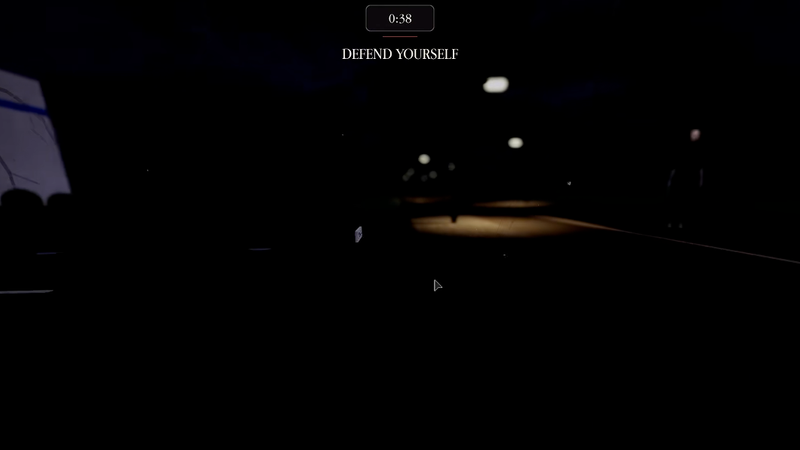
Frame from TheKacperosEN’s full walkthrough (YouTube, ~10:30).
What exactly do you do during the timer? (unverified)
The reference footage is too dark to confirm the specific defensive actions this sequence expects — the frames only prove the objective text, the countdown, and the environment. This section is deliberately left thin rather than guessed; check the full-run video embedded at the bottom of this page (around the 10:00–11:10 mark) before your own run.
How Does Episode 1 End — and What Is [DESPAIR]?
After the timer, the trail continues: Find where the Entity went leads you to a wrecked house (the van ends up crashed inside) and down a floor hatch, then through underground tunnels while your sanity HUD sinks to “COMING APART 15%”. At the bottom of the descent the Entity catches you — the capture cutscene puts its face inches from yours under the line “I should give up” — and the screen cuts to black for the episode’s closing title card: a red DESPAIR.

Frame from TheKacperosEN’s full walkthrough (YouTube, ~13:30).
The official DESPAIR badge (verified on the game page)
The Roblox game page lists five badges, and story completion is called “Completed Episode 1 [DESPAIR]” — 275,480+ players held it on October 5, 2026, versus 885,422+ for the “Played Story Mode” badge. The badge name matches the closing title card, so finishing the story earns the DESPAIR mark. Whether the episode hides alternate endings or extra badge conditions is not confirmed — the full-run videos all end on the same card.
DESPAIR is also the episode's official title (episode menu evidence)
The October 5 frame pass adds a second confirmation from inside the game: the episode select menu lists EPISODE 1 — “Despair” (with a DROPS badge and a CLOSED tag since the rework), ahead of EPISODE 2 — “Deja Vu” and EPISODE 3 — “Gone”, both marked Coming Soon in that build. So the red card is the episode revealing its own name — the story that ends with the Entity winning is literally titled Despair.
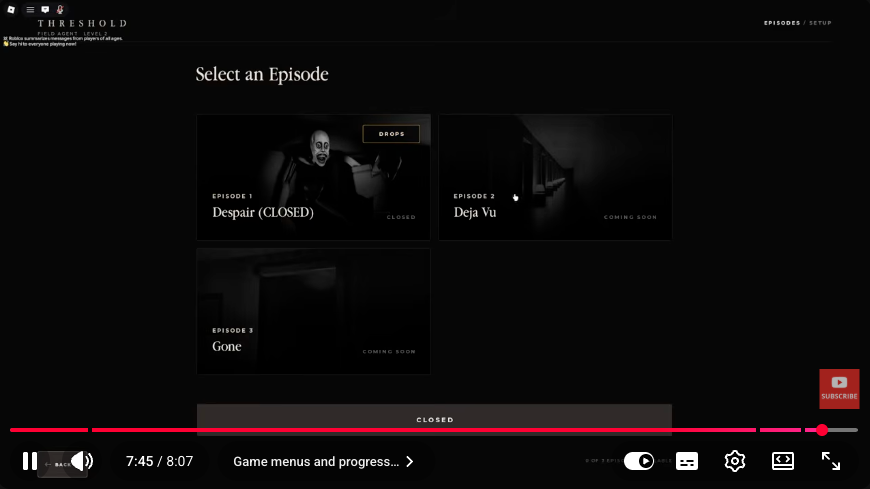
The episode select menu (frame from ItsChalls’ run, YouTube gv1kpa8em0A, 7:45 — recorded before UPD 2, when Deja Vu still showed Coming Soon).
Which Systems Can End Your Run Early?
Three meters matter from the first minute, and Episode 1 teaches all of them through its objectives:
| System | What we verified on screen |
|---|---|
| Flashlight power | A “Power left: %” bar drains as you use the light; the prompt “Press R to change flashlight’s current batteries” appears when you carry spares |
| Sanity | A “PLAYER CONDITION: SANITY” HUD with tier labels like “HEARING THINGS” and “COMING APART”; the HUD warns “BELOW 15% YOU START SEEING THINGS”, and a “SANITY LOW” screen warning precedes the DEFEND YOURSELF sequence |
| Hiding places | Interactable “Hiding place — Hide” prompts appear during the GET BACK IN YOUR VAN stretch |
The battery rule is the one to internalize early: darkness is not just atmospheric, it is how you lose track of arrows, prompts and paper fragments. If the bar runs dry mid-objective, swap batteries the moment the prompt shows. For the item side (batteries, code papers, the camera), see the items guide.
What Carries Over From the Story Into Chase Mode?
The moment the DESPAIR card fades, the game drops you into Chase Mode with a different rule set: the HUD reads FIND 3 MAINTENANCE KEYS (0/3 found), flashes IT CAN HEAR YOU (TURN ON MIC), and adds a dialogue wheel (CRY / CHALLENGE / HIDE / ASK WHERE / I’M HIDING) plus an “INFINITE LIVES © 80” counter. The Entity now hunts you across a run-based map, and speaking out loud is lethal — the official description’s warning that you can die “because you said the wrong words out loud” belongs to this mode.
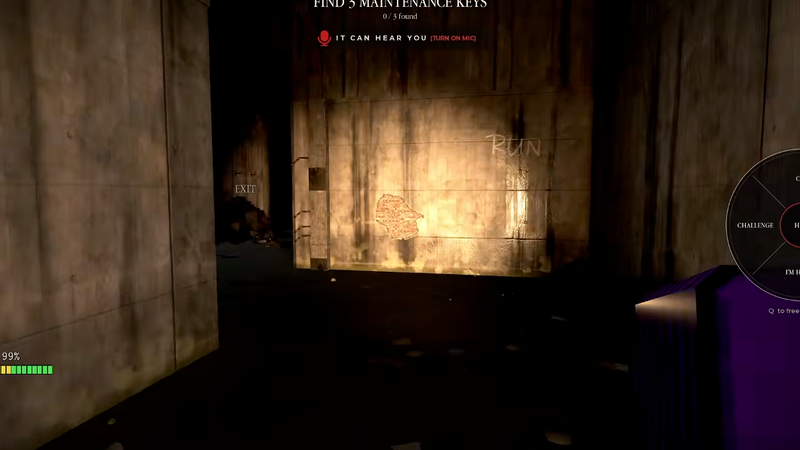
Frame from TheKacperosEN’s full walkthrough (YouTube, ~13:35).
Chase Mode is its own game loop, so we keep it on dedicated pages: the Chase Mode guide breaks down the voice mechanic, the maintenance keys page covers all three key locations, the Chase Mode walkthrough plays a full run end to end, and the forbidden words list catalogues the fatal triggers. New players should start with the beginner guide for mode selection and mic setup, then check the codes page for the password system and all five badges — including the DESPAIR badge you just earned. Episode 2 rumors are tracked here, and the live episode’s full run is played out in the Episode 2 walkthrough.
Watch the Full Episode 1 Run
Prefer to see the whole story before playing it? This is the reference run every timestamp above is measured against:

TheKacperosEN — STORY & CHASE Mode full walkthrough (29:10)
A shorter alternative is MutePlays’s “ROBLOX | THRESHOLD [HORROR] (Chapter 1) - Full Walkthrough” (12:31) — registered below as a second reference. Both videos are third-party gameplay recordings; all facts in this article were checked against the game’s own on-screen text first.
Related Articles
Guides
THRESHOLD Codes Not Working? Why Nothing Redeems in Roblox THRESHOLD
Typed a THRESHOLD code and nothing happened? There is no redemption system in the game - here is what to check, where rewards come from, and which lists are fake.
OpenGuides
THRESHOLD Roblox Controls - Every Keybind Verified On Screen
Every THRESHOLD control read from on-screen prompts: Z crouch, E hide, Q speech wheel, R battery, B flashlight, SHIFT run, plus the Roblox default movement scheme.
OpenGuides
THRESHOLD DESPAIR Ending Explained - the Episode 1 Finale
What the red DESPAIR card at the end of THRESHOLD Episode 1 means, how the capture cutscene plays out, and what stays open while Episode 1 sits closed for rework.
OpenWas this helpful?
Thanks for the feedback!